Skip to content
PRODUCTSGPS trackers and device software

Set up and maintain Navtelecom trackers with our software. Send tracker data to a compatible monitoring platform.

Tracking Devices

GPS trackers that send vehicle data to compatible monitoring platforms

Accessories

Communication Modules

Contactless CAN Readers

Software Solutions

Tools to set up, test and update Navtelecom trackers

SUPPORTGet the right help quickly

Email and Telegram requests are registered in the same technical support ticket system.

CREATE A SUPPORT TICKET

Email SupportSend technical details and attachmentsTelegram BotCreate a ticket from Telegram

SUPPORT RESOURCES

Software Solutions

Device configuration and diagnostics

NTC
Configurator

Configure, diagnose and update Navtelecom devices. Connect locally via USB or Bluetooth, or work remotely over the internet.

View Release Notes
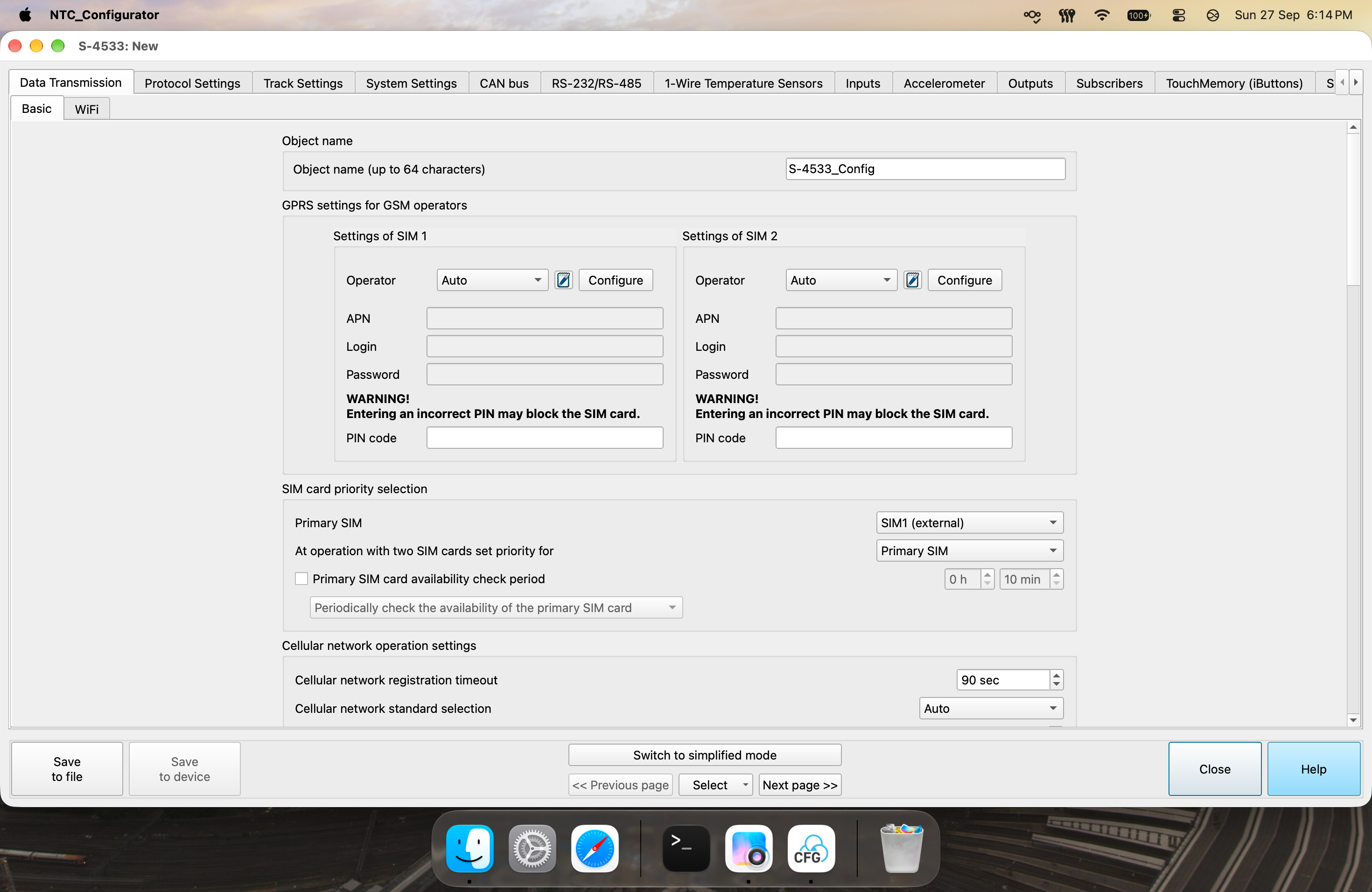
NTC Configurator application interface
Actual NTC Configurator interface. Appearance and available features may change with software updates.

Core Capabilities

Everything engineers need to configure and maintain devices

Advanced Configuration

Access supported device parameters, interfaces, sensors, inputs, outputs and operating logic.

Diagnostics & Telemetry

Monitor current device status, inspect telemetry and access detailed diagnostic information.

Firmware Updates

Update device firmware and maintain access to supported device functionality.

Local & Remote Access

Connect via USB or Bluetooth, or configure devices remotely through RCS.

Technical Workflows

Configure, test and maintain every device

Choose a workflow to see what NTC Configurator can do at each stage of deployment.

Device Configuration

Prepare device settings for every deployment

Create a new configuration, read settings from a connected device or reuse a prepared file for another installation.

  • Create configurations from scratch
  • Read settings directly from a device
  • Edit, save and reuse configuration files
  • Write prepared settings to a device
  • Configure servers, protocols and tracking logic
  • Set up inputs, outputs and geofences

How It Works

A clear process from connection to verification

STEP 01

Connect to a Device

Connect locally via USB or Bluetooth, or establish a remote connection through RCS.

STEP 02

Create or Read a Configuration

Start a new configuration, open a saved file or read the current settings from the device.

STEP 03

Configure and Verify

Apply the required settings and verify operation using telemetry and diagnostic tools.

Advanced Engineering Tools

Go further with the Navtelecom software ecosystem

Analyze CAN bus data and create custom device operating logic using dedicated engineering tools.

Need Help Configuring a Device?

Explore practical guides for data transmission, CAN bus, RS-232/RS-485, Bluetooth sensors, device outputs and other integration scenarios.

Explore Configuration Guides