CAN 2.0BOutput interface
← Accessories
ACCESSORIES · CONTACTLESS CAN
R-1020
Contactless CAN bus reader
Read vehicle CAN data without cutting the wires
Passively read vehicle CAN traffic through the wire insulation, without cutting or stripping the wires. A compatible Navtelecom or third-party CAN device then decodes the received data.
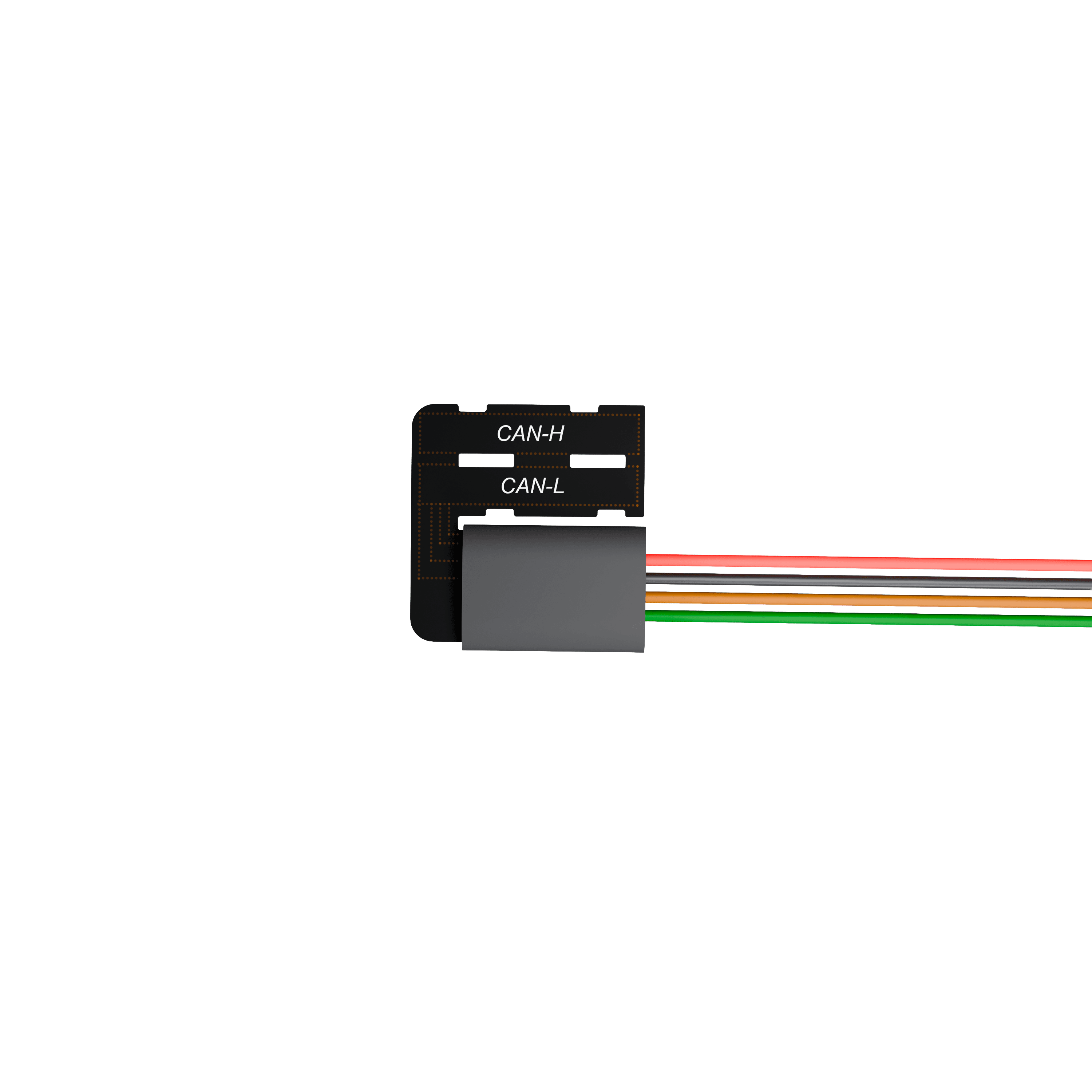
R-1020PASSIVE CAN READING
1000 kbit/sMaximum data rate
6–40 VSupply voltage
≤30 mACurrent consumption
25 × 25 × 5 mmExcluding wires
3 yearsWarranty
CONTACTLESS ACQUISITION
Access CAN data without altering the wiring
01
Keep wire insulation intact
Pick up CAN signals without stripping or cutting the vehicle CAN wires.
02
Connect to a compatible CAN input
The CAN 2.0B output connects to Navtelecom trackers or compatible third-party CAN equipment.
03
Passive CAN reading
Capture data already transmitted by the vehicle. The reader sends no commands or requests to the bus.
Vehicle CAN busExisting CAN trafficR-1020Contactless pickupTracker or CAN equipmentNavtelecom or third-party device
One-way reading: the contactless reader cannot transmit commands or requests to the vehicle CAN bus.
COMPATIBLE CAN EQUIPMENT
Navtelecom and third-party devices
Connect to the Navtelecom models below or compatible third-party trackers and equipment with a CAN input.
Available parameters depend on the vehicle traffic, the decoding file and the configuration of the connected tracker.
View supported vehicles in CAN SpyCAN COMPATIBILITY
Read through the reader. Decode in the tracker.
Reader interface
CAN 2.0B output · up to 1000 kbit/s
- SAE J1939
- CANopen
- DeviceNet
- NMEA 2000
- ISO 11898
Navtelecom tracker decoding
CAN 2.0A / 2.0B
- J1939 / FMS
- OBD-II
- UDS / KWP2000
- Manufacturer-specific CAN
- CANopen
The reader only receives existing CAN traffic. Active requests require a direct connection to the vehicle bus.
Protocol details and limitations in FAQTECHNICAL SPECIFICATIONS
Plan the installation
CAN interface, power and installation requirements.
Output interfaceCAN 2.0B
Data rateUp to 1000 kbit/s
Operating modePassive reading only
Permissible CAN message loss≤1%
Bus and network compatibilitySAE J1939, CANopen, DeviceNet, NMEA 2000, ISO 11898
Supply voltage6–40 V DC
Current consumption≤30 mA
Reverse-polarity protectionSupported
Surge and overvoltage protectionUp to 200 V
Dimensions, excluding wires25 × 25 × 5 mm
Weight10 g
Operating temperature−40 °C to +85 °C
EnclosureEnclosure-free; not sealed
Warranty3 years from the date of sale
Service life10 years
INSTALLATION ESSENTIALS
Fit, connect and verify
Both CAN wires on top
Lay CAN-H and CAN-L on top of the sensing part, following its markings, and secure both wires.
Compare with R-1010- Supply protected power
Connect red +Vin and black GND. Use a 1 A fuse; the tracker fuse may be shared if its rating is 1 A. The fuse is not included.
- Connect the CAN output
Connect green CAN-H to the device CAN-H input and brown CAN-L to the device CAN-L input.
- Verify real data before securing the installation
Check CAN traffic in NTC Configurator or CAN Spy. LED activity alone does not confirm a correct connection. Keep the reader away from power cables supplying high-power loads.
The reader is not sealed. Protect it from moisture, short circuits and electrostatic discharge, and observe the −40 °C to +85 °C operating range.
Continue your integration
Inspect CAN traffic and find a decoding file in CAN Spy.
PLAN YOUR CAN INTEGRATION
Choose the right reader for your installation
Discuss vehicle compatibility, the required parameters and the connected tracker with our team.